← Back to articlesproduct Alexandre7 min read
Waku: the visual PKM I wish I'd found on the App Store
Two months of dev, one Apple rejection, and an iOS app that replaces Pocket. Waku is a visual PKM, offline-first, design-first. Here's how I built it solo, and why publishing an app in 2026 has become an obstacle course.
Alexandre7 min read

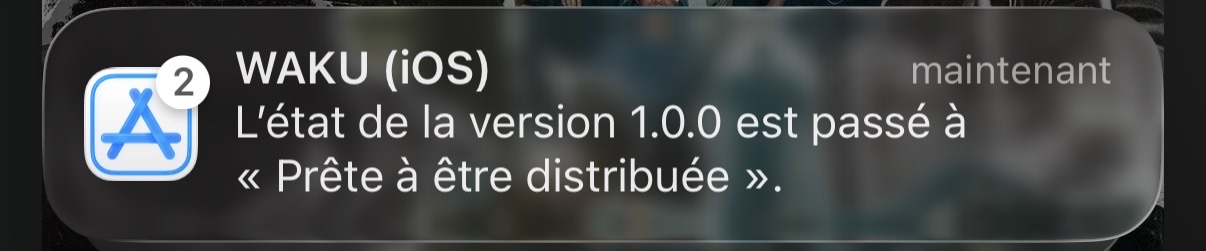
Two months. One Apple rejection for a Safari logo in a screenshot. And this morning, the notification: "WAKU (iOS) — Version 1.0.0 status changed to Ready for Distribution." My second digital baby is alive.
Click to enlarge
Why I built Waku
Pocket shut down. Read Later stopped. Raindrop became bloated. GoodLinks hasn't been updated since 2019.
Millions of people save links every week — articles, threads, videos, recipes — and never find them again. Not because they're disorganized, but because the existing tools are either dead, ugly, or too complex.
I had the same problem. Dozens of links per week, scattered between Notes, Safari Reading List, and tabs open since August 2025. Twitter threads about SwiftUI, recipes, articles I wanted to re-read. I never did.
One evening, I opened Xcode. If I have to build my own tool, I might as well do it right.
Waku (枠) means "frame" in Japanese. It's what gives shape to your ideas.
What Waku does
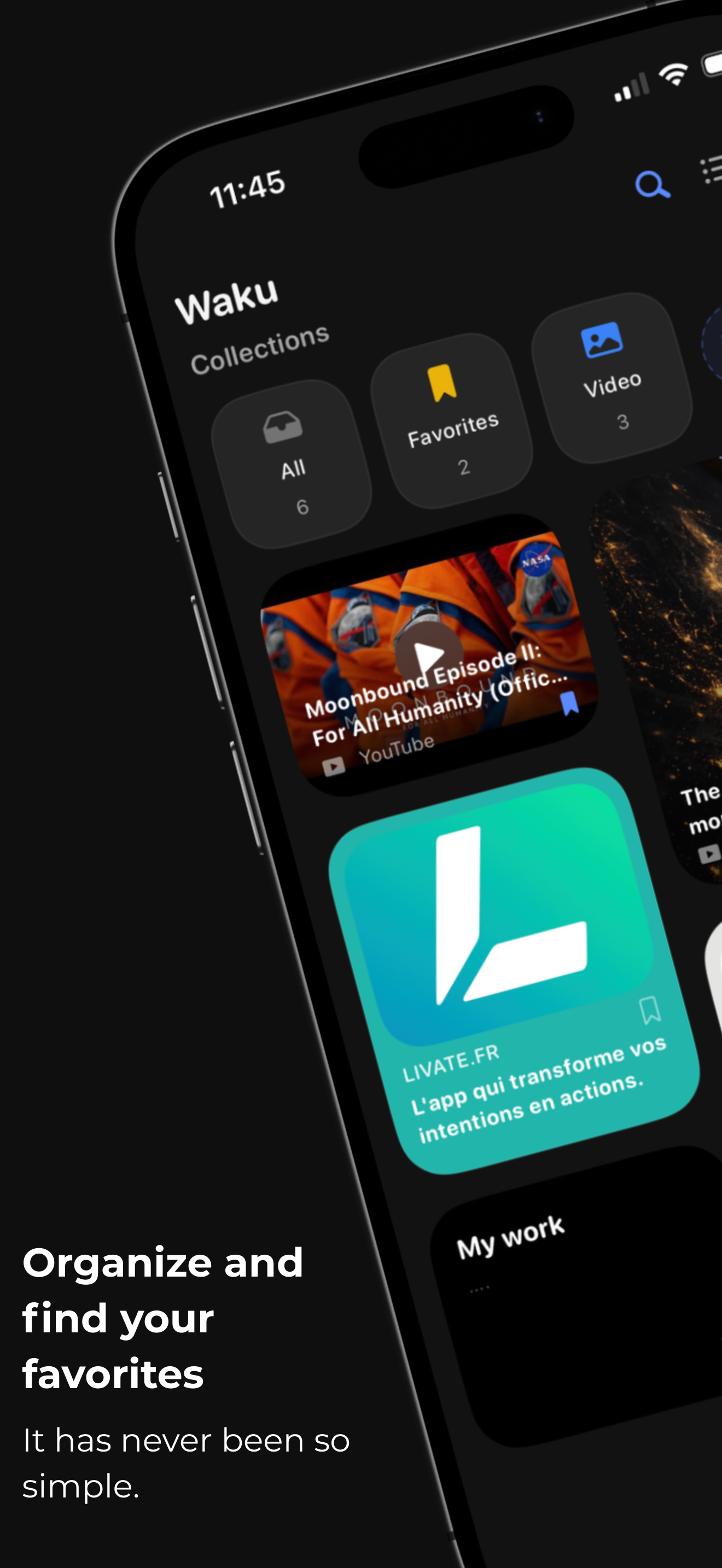
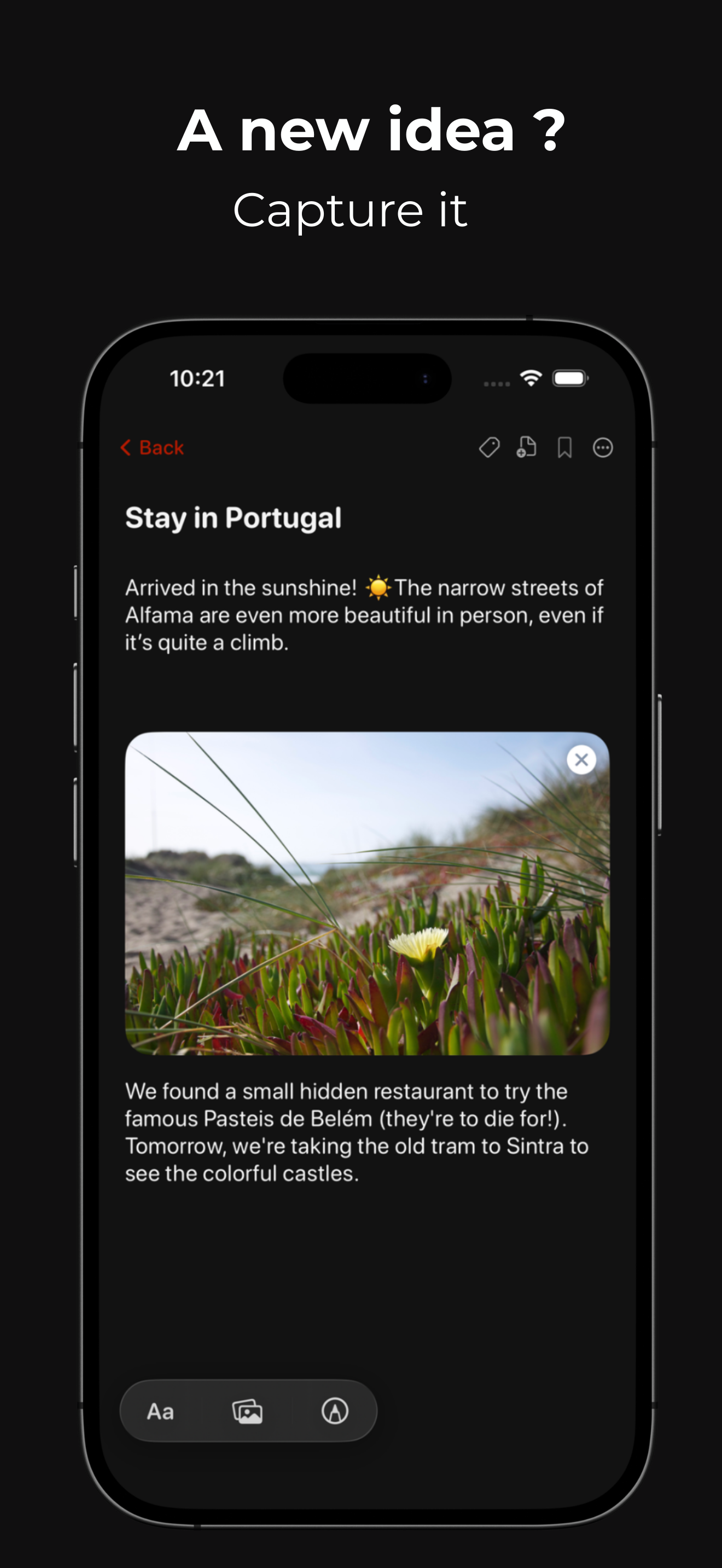
Waku is a personal knowledge manager (PKM) for iOS. Not a complex tool with graphs and backlinks — an elegant space to capture a link, annotate an article, find an idea.
v1.0.0 features
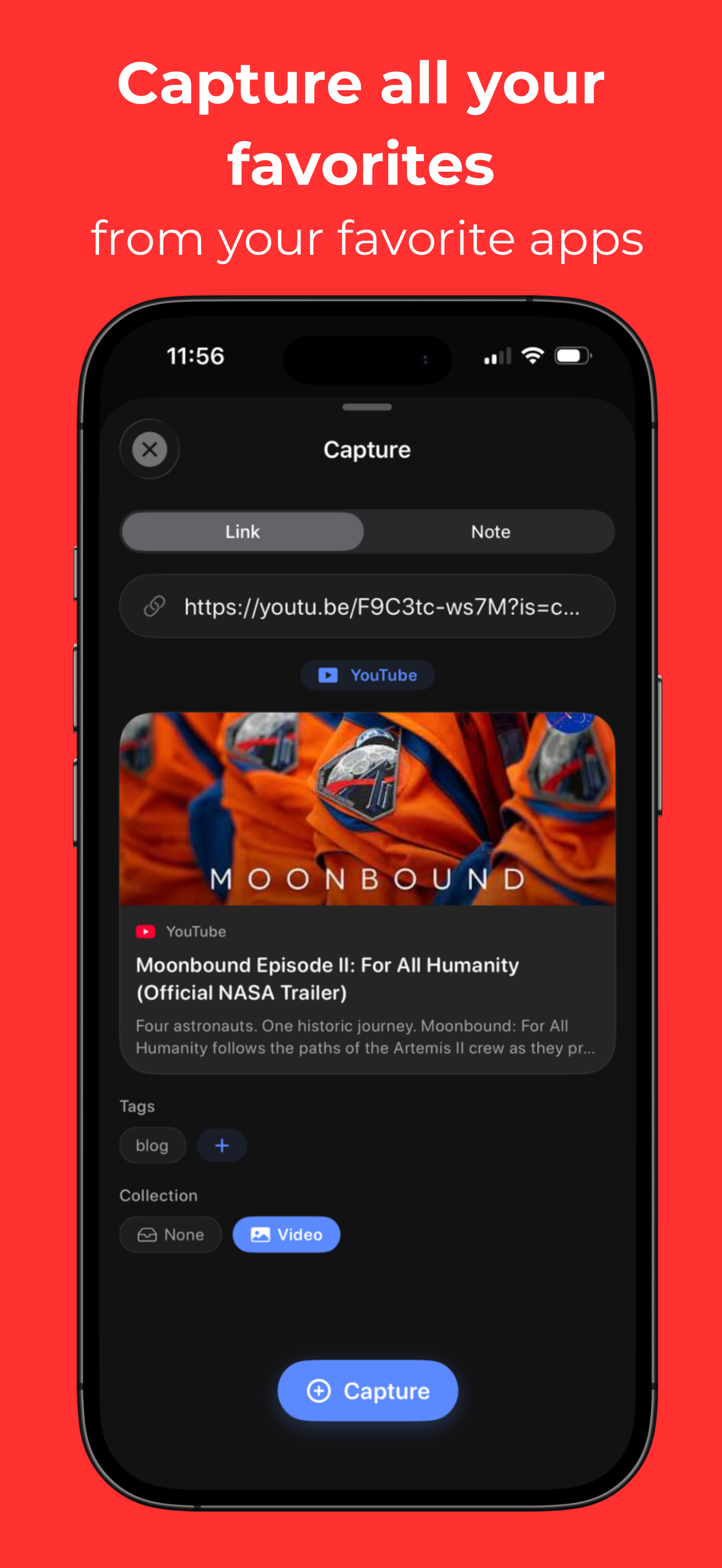
- Instant capture — paste a link, Waku automatically extracts the title, description, image and favicon
- Rich notes — text + images + PencilKit drawings, a real visual notebook
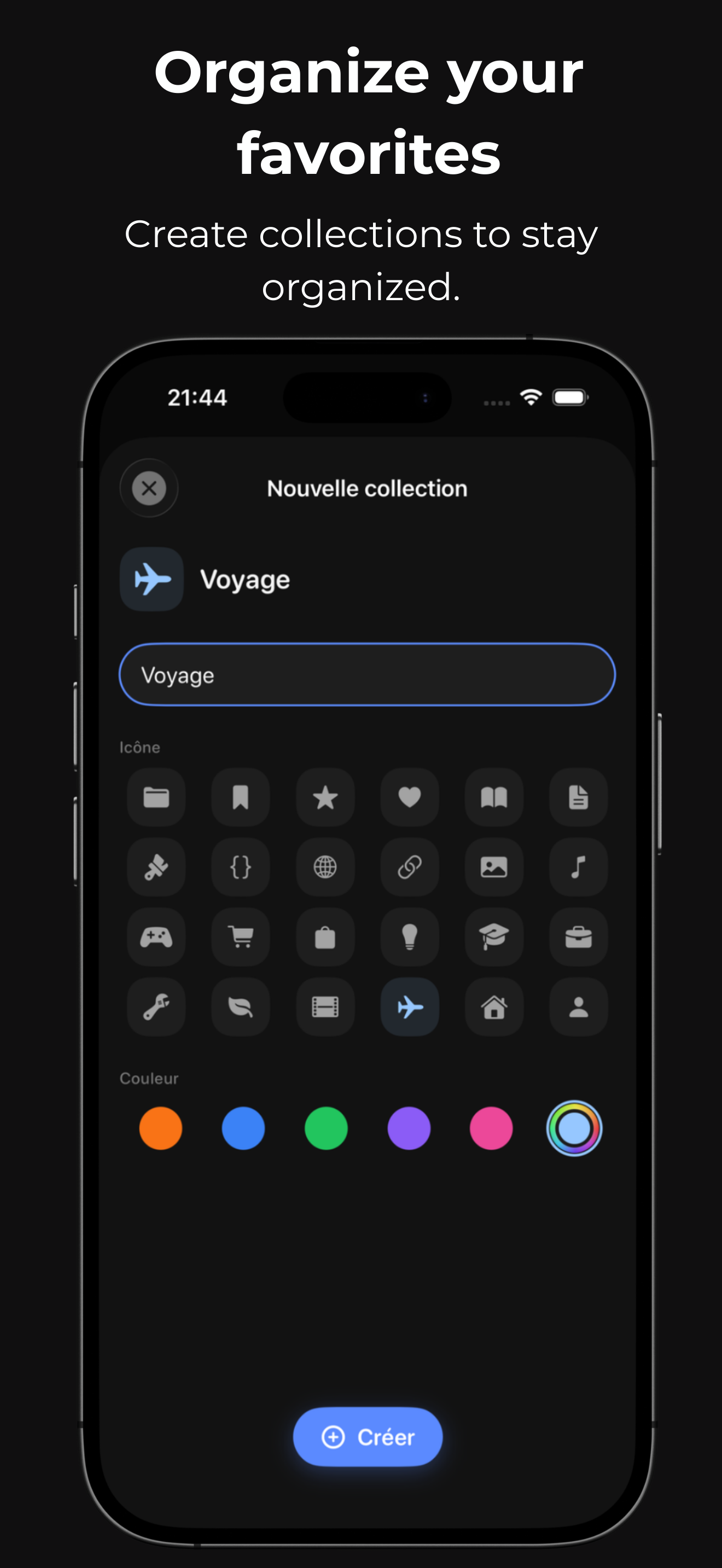
- Collections & tags — organize your bookmarks your way
- On-device AI summary — Apple Intelligence summarizes your bookmarks and notes, everything runs on-device, no data sent anywhere
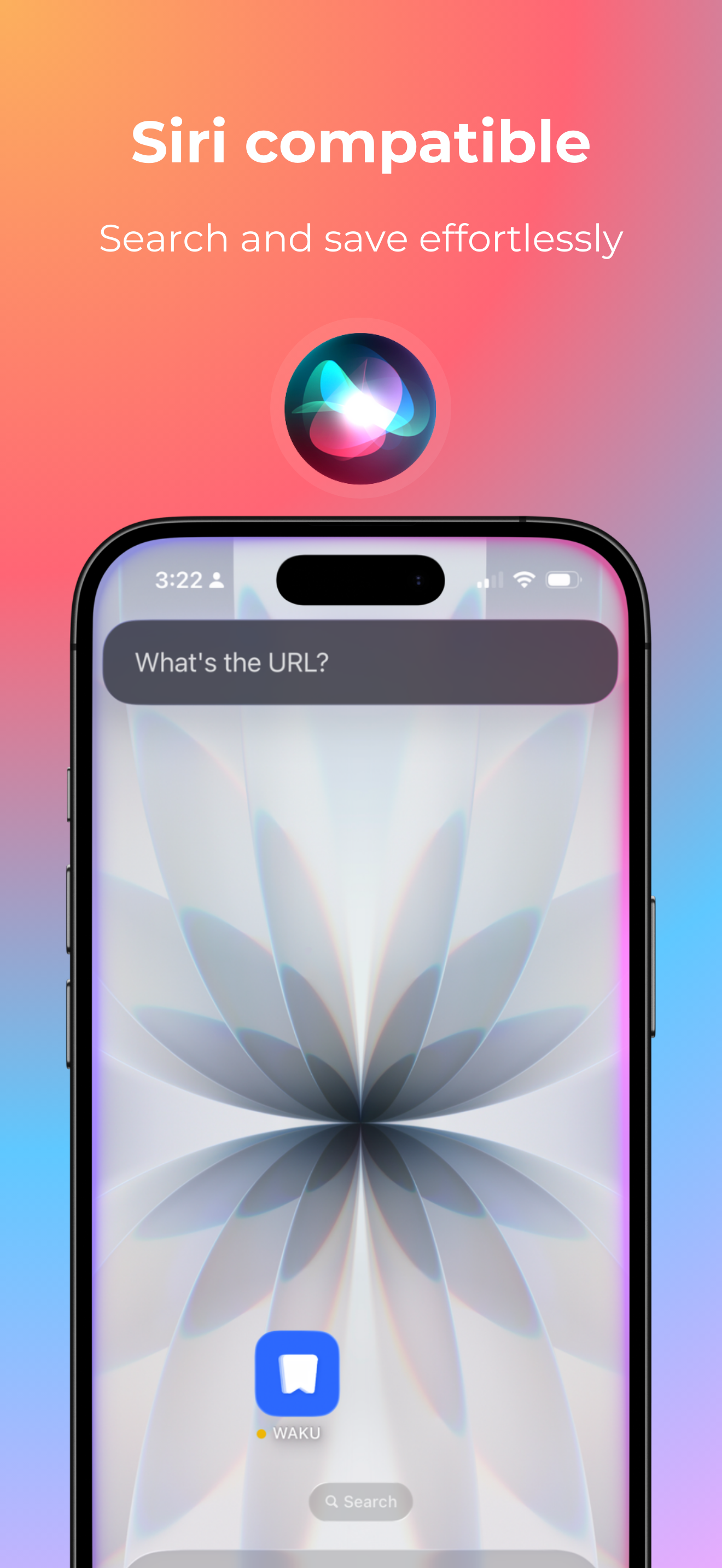
- Siri & App Intents — "Hey Siri, save this link in Waku"
- iOS Widgets — 3 sizes (Small, Medium, Large), your bookmarks on the home screen
- Spotlight — your bookmarks indexed, searchable from iOS search
- 100% offline-first — SwiftData, no account, no server, your data stays on your device
- Bento design — organic grid, rounded corners, warm orange accent, inspired by Bento.me and Arc
Waku on the App Store

The tech stack
Everything is native Swift. No cross-platform, no compromise.
| Tech | Role |
|---|---|
| SwiftUI | Interface |
| SwiftData | Offline persistence |
| Swift 6 | Strict concurrency |
| MVVM | Architecture |
| LinkPresentation | Metadata extraction |
| FoundationModels | On-device AI (Apple Intelligence) |
| AppIntents | Siri & Shortcuts |
| WidgetKit | iOS Widgets |
The architecture is the same as Livate: strict MVVM, offline-first, cache-first. The difference: Waku has no user backend. Everything is local. I chose to stay 100% local, with no data collection, to respect users' privacy.
Under the hood: metadata extraction

Click to enlarge
When you paste a link, Waku launches LinkPresentation and HTML parsing in parallel, then merges results with a fallback strategy:
func extract(from url: URL) async throws -> ItemMetadata { async let lpResult = extractWithLP(from: url) async let htmlResult = fetchHTML(from: url) let lp = try? await lpResult let htmlString = try? await htmlResult let html = htmlString.map { parseHTML($0, base: url) } let oembed = await extractWithOEmbed(from: url, html: htmlString) guard lp != nil || html != nil || oembed != nil else { throw ExtractionError.extractionFailed } let thumbnail = oembed?.thumbnailURL ?? html?.ogImageURL ?? youtubeDirectThumbnail(for: url) return ItemMetadata( title: oembed?.title ?? lp?.title ?? html?.title ?? url.host() ?? url.absoluteString, description: oembed?.description ?? html?.description ?? "", ogImageURL: thumbnail, faviconURL: html?.faviconURL ?? faviconFallback(for: url), siteName: oembed?.providerName ?? html?.siteName ?? lp?.siteName ?? url.host() ?? "" ) }
LinkPresentation returns
nil on many sites — hence the HTML fallback that parses Open Graph tags directly. The oEmbed → HTML → LP chain guarantees we always get something.The SwiftData model
Each bookmark is a
WakuItem persisted with SwiftData. Heavy data (PencilKit drawings, formatted content) uses externalStorage to keep the database lightweight:@Model final class WakuItem { var id: UUID var url: String var title: String var descriptionText: String var ogImageURL: String? var siteName: String var isPinned: Bool var isFavorite: Bool @Attribute(.externalStorage) var customImageData: Data? @Attribute(.externalStorage) var drawingData: Data? @Attribute(.externalStorage) var noteBlocksData: Data? var summary: String? var collection: ItemCollection? @Relationship(deleteRule: .nullify) var tags: [Tag] = [] }
Siri & App Intents
"Hey Siri, save this link in Waku" — powered by an
AppIntent using the .browser.bookmarkURL schema:@AppIntent(schema: .browser.bookmarkURL) struct SaveBookmarkIntent: AppIntent { static let title: LocalizedStringResource = "intent.save.title" @Parameter(title: "URL") var url: URL @MainActor func perform() async throws -> some IntentResult & ReturnsValue<BrowserBookmarkEntity> & ProvidesDialog { let displayName = url.host() ?? url.absoluteString switch BookmarkPendingStore.save(urlInput: url.absoluteString) { case .saved(let host): return .result(value: entity, dialog: "\(host) saved in Waku!") case .alreadyPending: return .result(value: entity, dialog: "This link is already pending") case .invalidURL: return .result(value: entity, dialog: "Invalid URL") case .storeError: return .result(value: entity, dialog: "Save error") } } }
The dev log
February 1, 2026 — First item captured end-to-end. I thought I'd be done in two weeks. I wasn't.
Mid-February — Third design system iteration. Neumorphism felt like 2019, glassmorphism felt too iOS 15. I spent three evenings drawing rounded corners in Figma before finding the right balance: flat, very rounded corners, soft shadows, warm orange, SF Pro Rounded.
March 5 — Metadata extraction breaks on 30% of links. LinkPresentation returns
nil for no reason on some sites. I coded an HTML fallback that parses the <head> directly.March 18 — Siri & App Intents are working. "Hey Siri, save this link in Waku." Works on the first try. First real moment of satisfaction in three weeks.
March 14 — First submission to Apple. From that point on, you can't do anything. You refresh App Store Connect. You check your emails. You sleep badly. And you wait. Nearly a week before the review even starts. A week staring at "Waiting for Review" with nothing you can do.
March 22, 2:12 PM — Apple rejection. Safari logo in a screenshot. Fixed in five minutes, resubmitted.
March 23, 9:03 AM — "Ready for Distribution."
Publishing an app in 2026 is a contact sport

Click to enlarge
What nobody tells you when you start building an app is that the code is the easy part. The real final boss is the Apple review.
1,600 apps per day: the bottleneck
Submitting an app and getting a response within 24-48 hours used to be the norm. In 2026, that's a distant memory.
Vibe coding changed everything. With tools like Cursor, Replit, or Claude generating code, anyone can produce an app in a weekend and submit it. In 2025, the App Store received about 1,340 new apps per day. By March 2026, that number climbed to 1,600 daily submissions — over 45,000 apps per month (Apptunix). Apple's review pipeline hasn't kept up.
The result: review times getting longer, overloaded reviewer teams, and you, indie dev, just waiting. Refreshing App Store Connect every hour. Checking your emails at 2 AM. Wondering if your app will be rejected because you used the word "best" in your description.
Apple's March 2026 crackdown
On March 18, 2026 — while my app had been waiting for review for four days — Apple quietly blocked updates for several vibe coding apps, including Replit and Vibecode. No new rule: just strict enforcement of clause 3.3.1(B), which prohibits apps from changing their functionality after approval.
The core issue: these apps let you generate an iOS app from an iPhone, submit it, and modify it after the fact. Apple sees that as bypassing their review. Replit hasn't been able to publish an update since January 2026 and dropped from 1st to 3rd place in the Developer Tools chart (MacRumors).
The irony is that Apple simultaneously integrated support for Cursor and Claude into Xcode. Vibe coding on desktop? Fine. On mobile? Blocked. The difference? On desktop, the code goes through review before publication. On mobile, it bypasses everything.
The real problem: quality
Beyond review delays, there's the question of what's landing on the App Store. Vibe coding accelerates prototyping, not quality. Technical analyses (Glide, Magnise) flag the same recurring issues in AI-generated apps: undetected security vulnerabilities, inconsistent architecture, edge-case bugs, and technical debt that explodes as soon as the app leaves prototype mode.
As Addy Osmani puts it: vibe coding isn't an excuse for shipping sloppy work. It's a tool. But a stable app for real users requires rigor, testing, and architecture. AI doesn't replace that.
What makes the process stressful
The hardest part is the opacity. You submit your app, and then it's silence. No progress bar, no ETA. Just "Waiting for Review." You don't know if the reviewer will take 2 days or 2 weeks.
And when the rejection comes — because it often does — it's sometimes for reasons you never would have guessed. A wording in your description. A button that doesn't lead exactly where Apple expects. Or, in my case, a Safari logo in a screenshot.
For Livate, I got rejections. For Waku too. Apple protects its visual trademarks, and even an icon that seems harmless can trigger a rejection. Fixed within hours, but it's a reminder that every detail matters. I know the App Store Review Guidelines by heart now.
What I learned
A few tips for those about to submit:
- Read the guidelines before writing a single line of code, not the night before submission
- Test on a real device, not just the simulator — Apple tests on real hardware
- Prepare your metadata in advance — descriptions, screenshots, category, keywords — it takes as long as the dev
- Plan buffer time — never promise a launch date without Apple's validation in hand
- Submit early, submit often — a pre-release with core features, then updates. It's easier to get updates through than a first submission
Waku is free
The app is free with 20 bookmarks, 3 collections, and theme/language/layout options. For those who want more, a single in-app purchase at $4.99 (lifetime) unlocks everything:
- Unlimited bookmarks and collections
- On-device AI summary
- iOS Widgets
- Custom accent color
- Import/export
- Siri guide
No subscription. A one-time purchase to support development and unlock the full app.
If you're looking for a simple place to save what matters — no account, no mandatory cloud — download Waku on the App Store and let me know what you think. I read every piece of feedback.
What's next?
v1.1 is already in the works:
- CloudKit — iCloud sync across your devices
- Share Extension — capture from any app in one tap
- Pocket/Raindrop import — migrate your bookmarks in one click
The full dev log (with code) is on getwaku.app.
Related articles

AI News October 16, 2026: Anthropic books $16.8B in a quarter, Gemini 4 Argon at $2, Character.ai goes bankrupt
Anthropic reports $16.8B in Q3 ahead of its IPO, Gemini 4 Argon ships at $2, Meta teams up with Apple, Microsoft takes on OpenAI and Character.ai files Chapter 11.
AI News October 11, 2026: Mistral Large 4 goes open-weight, OpenAI publishes 722 math manuscripts, Haiku 5.5 at $0.10
OpenAI publishes 722 math manuscripts, Mistral launches Large 4 open-weight, Anthropic ships Haiku 5.5 at $0.10, and OpenAI's revenue figure sends the Nasdaq down.
Meta launches Muse, Muse Code and Muse Glimmer: inside its new AI lineup
Muse, Meta's OpenClaw-inspired personal agent, hit 500,000 users in 7 days. Models, pricing, the Muse Charm device, availability: what ships and when.Comments
Comments
Got a take on this article?
Create a free account in 10 seconds to comment, like, and get the next articles straight to your inbox.
Don't have an account yet?